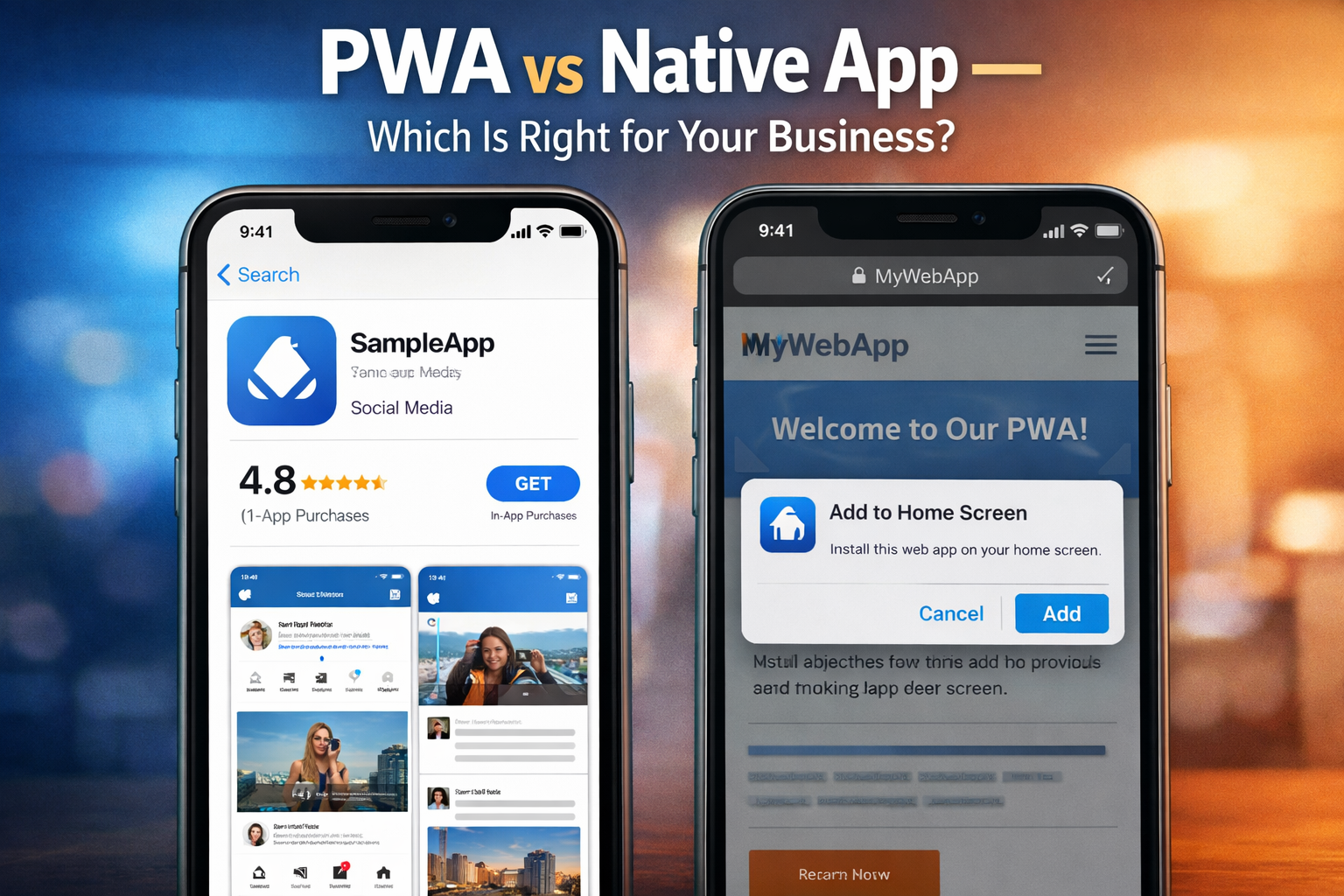
Should Your Indian Business Build a PWA or a Native App? An Honest 2026 Comparison
27 min read
Indian SMEs are choosing PWAs over native apps in 2026 — lower cost, faster launch, and no app store. Here are the real case studies and the honest decision fra
Progressive Web Apps vs Native Apps: Real Case Studies from Indian SMEs
Every Indian SME owner who wants a mobile presence eventually faces the same question:
"Should we build a proper app on the Play Store and App Store — or is there a better option?"
For most of the last decade, the default answer from agencies was: build a native app. One for Android. One for iOS. Expect to spend Rs. 5 to Rs. 15 lakh and 6 to 12 months in development. Then maintain two separate codebases, submit to app store reviews for every update, and watch most of your users struggle to remember to download it.
In 2026, that answer is outdated for the majority of Indian SMEs.
Progressive Web Apps — websites that behave like native apps on a user's phone — have matured to the point where they are the right choice for a wide range of Indian business use cases. They cost a fraction of native development, launch in weeks not months, require no app store download, and are increasingly indistinguishable from native apps in terms of user experience.
This guide gives you the complete, honest comparison — backed by real case studies from Indian SMEs — so you can make the right decision for your specific business without being misled by either the PWA hype or the native app default.
What This Guide Covers
- What a Progressive Web App actually is — in plain English
- The technical and business differences between PWA and native apps
- A complete feature and cost comparison table
- When PWA is the right choice and when native is genuinely better
- 4 real case studies from Indian SMEs — 2 PWA, 2 Native
- The Indian market context that makes PWA particularly powerful here
- What a PWA build costs from a Mumbai web development company
- The decision framework — 10 questions to find the right answer for your business
- 5 SEO-optimised FAQs
What Is a Progressive Web App — In Plain English
A Progressive Web App is a website built with modern web technologies that delivers an app-like experience on a mobile phone — without requiring the user to download anything from an app store.
When a user visits a PWA on their phone, they see a prompt asking if they want to add it to their home screen. One tap later, it sits on their home screen with an icon, just like a native app. When opened, it runs full screen — no browser bar visible. It can work offline, send push notifications, and access device features like the camera and GPS.
From the user's perspective, a well-built PWA is functionally indistinguishable from a native app for the vast majority of everyday use cases. From the developer's perspective, it is a single web application that works on every device and every operating system — rather than two separate codebases for Android and iOS.
Think of it this way: a native app is built specifically for one operating system. A PWA is built for the web — which runs on everything.
The Three Core Properties That Make a PWA
Reliable: Loads instantly and works offline or in low connectivity — critical for India's variable 4G networks
Fast: Responds quickly to user interactions — smooth animations, instant transitions, no lag
Engaging: Delivers an app-like experience — home screen icon, full-screen mode, push notifications
A website that has all three of these properties is a Progressive Web App.
A website that has only one or two is a good mobile website — but not yet a PWA.
PWA vs Native App — The Complete 2026 Comparison
Here is a side-by-side comparison across every dimension that matters for an Indian SME making this decision:
Factor
Progressive Web App (PWA)
Native App (iOS + Android)
Development Cost
Rs. 80,000 to Rs. 4,00,000 (single codebase)
Rs. 5,00,000 to Rs. 25,00,000+ (two separate codebases)
Development Time
6 to 16 weeks
4 to 12 months
App Store Required
No — accessed via browser, added to home screen
Yes — must be approved and listed on Play Store and App Store
App Store Commission
None
Google: 15 to 30% per in-app purchase. Apple: 15 to 30%
Update Process
Update once — live immediately for all users
Submit update, wait for app store review (1 to 7 days), users must update manually
Offline Functionality
Yes — via service workers, cacheable content
Yes — typically more robust offline capability
Push Notifications
Yes — on Android. Limited on iOS (improving rapidly)
Yes — on both platforms fully
Access to Device Hardware
Camera, GPS, microphone, accelerometer — most features
Full native hardware access — the most comprehensive
Discoverability
Indexed by Google — appears in search results
Listed in app stores — dependent on ASO (App Store Optimisation)
Installation Friction
None — add to home screen in one tap
Must open app store, search, download, install — multiple steps
Data Usage for Users
Low — loads only what is needed
Moderate — full app download required
SEO Benefit
Yes — PWA content is indexed by Google
No — app store listings are not indexed by Google
Maintenance Cost
Rs. 5,000 to Rs. 20,000 per month
Rs. 15,000 to Rs. 60,000+ per month (two codebases)
Works on All Devices
Yes — any device with a modern browser
Only on Android and iOS specifically
Performance (typical)
Very good — 85 to 95% of native performance for most apps
Excellent — full native speed and hardware access
Read this table carefully. For a large number of Indian SME use cases — service booking, product catalogues, loyalty programmes, content delivery, customer dashboards — a PWA delivers 90 to 95% of native app functionality at 20 to 30% of the cost. The remaining 5 to 10% is relevant only for applications requiring deep hardware integration, complex offline functionality, or features specific to Apple's locked ecosystem.
Why India Is the Ideal Market for Progressive Web Apps
The case for PWA over native app is strong globally. In India specifically, it is exceptionally strong — because of unique market conditions that directly favour how PWAs work:
Network Variability
India's mobile internet experience is characterised by significant variability — strong 4G in urban centres like Mumbai and Navi Mumbai, weaker connectivity in many suburban and semi-urban areas, and occasional 2G still present in parts of Tier 2 and Tier 3 markets.
PWAs are built to handle this variability. Service workers cache content locally so that a PWA continues to function when connectivity drops — displaying previously loaded content, queuing actions to sync when connection returns, and loading significantly faster on slow connections than native apps that require server calls for every action.
For an Indian SME whose customers span urban and semi-urban areas — which most D2C, FMCG, and service businesses do — this reliability on variable networks is a direct competitive advantage.
Storage Constraints on Indian Android Devices
The most common Android devices in India are mid-range and budget smartphones — often with 32GB to 64GB of total storage, of which a significant portion is already used by the operating system, photos, WhatsApp media, and other apps.
A native app that requires 50 to 150MB of storage to install is often deleted by Indian users when their phone runs low on space. The average Indian smartphone user has significantly more PWAs and websites saved to their home screen than app store downloads — precisely because of this storage pressure.
A PWA requires essentially zero storage beyond the home screen icon and cached data — typically under 5MB in total. This matters enormously for retention in the Indian market.
The App Store Download Barrier
Research specific to the Indian market consistently shows higher abandonment rates at each step of the app store download funnel compared to Western markets. Opening the Play Store, searching, reading the listing, tapping install, waiting for download, and then opening the app — this sequence represents enough friction that a meaningful percentage of Indian users who intend to use a service abandon it before they have completed the download.
A PWA eliminates every step of this funnel. The user visits the website — which may happen from a WhatsApp link, a Google search, or an Instagram story — and is prompted to add it to their home screen in a single tap. The next time they want to use the service, the icon is already on their phone.
For Indian SMEs in highly competitive markets — food delivery, appointment booking, eCommerce — this reduction in installation friction translates directly into higher user acquisition and lower drop-off between first visit and first transaction.
Google Search Indexability
Unlike native apps, PWAs are indexed by Google. Every page of a PWA that contains useful content can appear in Google search results. For an Indian SME investing in local SEO — trying to rank for 'best salon in Navi Mumbai' or 'gym in Kharghar' — a PWA provides both a mobile app experience and search engine visibility simultaneously.
A native app contributes nothing to your Google search ranking. A PWA built correctly contributes to it actively.
Case Study 1: Pune-Based Tiffin Delivery Service — PWA Reduced App Abandonment by 61%
Case Study — Tiffin Delivery Service, Pune, Maharashtra
A home tiffin delivery service in Pune had launched a native Android app in 2023 to manage orders. The app had 4,200 downloads but only 1,100 monthly active users — a 26% retention rate.
The problem was clear in their analytics: 68% of users who downloaded the app deleted it within 30 days. Exit survey data showed two primary reasons:
- The app took 87MB of storage — users deleted it when their phone storage was full
- The app required manual updates and often showed 'update required' messages that interrupted ordering
In early 2024, they commissioned a PWA to replace the native app entirely.
What the PWA delivered:
- Full ordering flow — browse meals, customise tiffin, select delivery days, pay via Razorpay or COD
- Offline mode — cached the menu so users could browse without connectivity
- Push notifications — daily reminders for the next day's menu and order cutoff time
- Add to Home Screen — icon on the phone home screen, indistinguishable from an app
- Automatic updates — no user action required, changes live within minutes
- Storage footprint: under 4MB cached data vs 87MB for the native app
Development cost: Rs. 1,20,000 (vs Rs. 3,80,000 for the original native app)
Development time: 9 weeks
Results after 6 months:
- Monthly active users: from 1,100 to 3,400 — same number of total users in the database
- App abandonment rate: from 68% to 27%
- Orders per active user per month: from 8.2 to 11.6
- Customer support queries about the app: reduced by 74%
- Google search impressions from PWA pages: 12,400 per month — the native app contributed zero
Case Study 2: Mumbai Ethnic Wear D2C Brand — PWA Increased Mobile Conversions by 38%
Case Study — Ethnic Wear D2C Brand, Mumbai
A women's ethnic wear brand based in Mumbai had a Shopify website and a native iOS and Android app built in 2022. The apps had cost Rs. 8.5 lakh combined and required Rs. 25,000 per month in maintenance.
By 2024, their analytics told an uncomfortable story:
- Only 18% of their mobile customers were using the native apps
- 82% were buying through the mobile browser — the Shopify website
- iOS App Store reviews consistently mentioned that the app 'felt no different from the website'
- The Android app had 3.1 star average — primarily due to crashes on older Android versions
They made the decision to shut down both native apps and invest in a custom PWA built on their existing Next.js infrastructure.
- Push notifications for new arrivals, sale alerts, and abandoned cart recovery
- Offline browsing of previously viewed products
- Home screen icon — identical visual presence to the native apps they retired
- Significantly faster load time — LCP improved from 3.8s to 1.4s
Development cost: Rs. 2,20,000
Ongoing maintenance: Rs. 8,000 per month (vs Rs. 25,000 for the two native apps)
App store commission saved: Rs. 0 — PWA has no in-app purchase commission
Results after 90 days:
- Mobile conversion rate: from 1.8% to 2.5% — a 38% improvement
- Monthly revenue from mobile: from Rs. 2.4 lakh to Rs. 3.3 lakh
- Push notification opt-in rate: 44% of returning visitors
- Abandoned cart recovery via push notification: 9% of abandoned carts converted
- Annual maintenance saving: Rs. 2,04,000
Case Study 3: Bengaluru Healthcare Startup — Native App Was the Right Choice
Case Study — Telemedicine Platform, Bengaluru
A telemedicine startup in Bengaluru connecting patients with specialist doctors was evaluating whether to build a PWA or native apps for their patient-facing product.
Their requirements were specific and non-negotiable:
- Real-time video consultation — requiring WebRTC with low-latency optimisation
- Camera and microphone access with specific permission flows required by medical regulators
- End-to-end encrypted messaging between patient and doctor
- Integration with device health data — heart rate, blood pressure readings from paired wearables
- Full compliance with India's Telemedicine Practice Guidelines requiring specific audit trails
- Background notifications for appointment reminders even when the app was not open
GarunaCDX was asked to advise on the decision. Our recommendation was unambiguous: native app.
Reasons:
- WebRTC video quality on PWA, while improving, was not yet reliable enough for medical consultations
- Wearable device integration required Bluetooth APIs not yet fully available in mobile browsers
- iOS WebPush (PWA push notifications on iPhone) had only launched in 2023 and was not yet sufficiently reliable for medical appointment alerts
- Regulatory compliance required specific device-level security features not available via the web
They built native Android and iOS apps. Development cost: Rs. 14,00,000.
Development time: 9 months.
The decision was correct for their use case. The technical requirements genuinely demanded native.
A PWA would have saved Rs. 12 lakh — but delivered a product that did not meet their requirements.
Case Study 4: Delhi NCR Coaching Institute — PWA Served 40,000 Students Without an App Store
Case Study — Online Coaching Institute, Delhi NCR
A coaching institute in Delhi NCR was delivering study materials, recorded lectures, live classes, and test series to students preparing for competitive examinations. They had 40,000 enrolled students across India.
Their existing solution: a website and a PDF download approach. Students had to download study materials individually and track their own progress. No app. No notifications. High dropout from the platform.
They considered building a native app but had significant concerns:
- Budget: Rs. 12 to Rs. 15 lakh for a quality native build was beyond their current capacity
- Timeline: They needed to launch before the next academic intake — 12 weeks away
- Device diversity: Their students used Android devices ranging from budget Rs. 6,000 phones to premium models — native app performance varies dramatically across this range
GarunaCDX built a PWA in 11 weeks for Rs. 1,85,000.
What the PWA delivered:
- Student dashboard — progress tracking, completed modules, test scores, study streaks
- Video lectures with offline download for low-connectivity students
- Live class integration via embedded streaming
- Daily study reminders via push notification
- Mock test engine with automatic grading and performance analytics
- Works smoothly on Rs. 6,000 budget Android phones — optimised for low-end devices
- No Play Store or App Store — distributed via WhatsApp link and email
Results after one academic cycle (6 months):
- Student platform retention: from 34% (website) to 71% (PWA)
- Daily active users: from 3,200 to 18,400
- Average study time per student per week: from 4.2 hours to 9.8 hours
- Course completion rate: from 22% to 51%
- Student satisfaction score: increased from 3.4 to 4.6 out of 5
- Development cost saving vs native: approximately Rs. 10 to Rs. 13 lakh
The coaching institute case study illustrates something important about the Indian market specifically: device diversity matters. A native app optimised for premium Android devices will perform poorly on the budget devices used by a significant proportion of Indian students and consumers. A well-built PWA, optimised for performance across device tiers, delivers a consistent experience that native development cannot easily replicate across the same range.
When Native App Is Genuinely the Right Choice
This guide is not arguing that PWAs are always better. There are specific situations where native development is clearly the right answer, and choosing a PWA in those situations would be a mistake. Here is an honest list:
Situation
Why Native Is the Right Choice
Real-time video or audio communication
WebRTC performance and camera control on PWA is improving but not yet at native quality for applications where reliability is critical — telemedicine, live streaming with interaction, professional video conferencing.
Deep hardware integration
Wearable device data, advanced Bluetooth, NFC payments, AR features using device sensors, or custom peripheral hardware all require native APIs not yet available through the web platform.
Complex offline-first applications
Applications where the primary use case is fully offline — field service tools, industrial inspection apps, applications used in areas with no connectivity at all — native generally provides more robust offline capability.
Gaming with high graphics requirements
Real-time 3D gaming, AR/VR applications, and any use case requiring sustained high frame rates and full GPU access require native development.
Deeply integrated iOS-specific features
Face ID/Touch ID for authentication, Apple Pay, Siri integration, iMessage sharing, and other features specific to Apple's closed ecosystem require native iOS development.
Enterprise apps with MDM (device management)
Corporate applications that need to be managed and configured through Mobile Device Management systems require native apps to function correctly within enterprise IT infrastructure.
If your application does not appear in this table — if none of these specific technical requirements apply to your use case — then a PWA is almost certainly the more cost-effective, faster-to-market, and lower-maintenance choice for an Indian SME.
What Does a PWA Cost to Build in Mumbai in 2026?
Cost is the factor that most Indian SMEs are most concerned about. Here is an honest breakdown of what PWA development costs from a Mumbai web development company in 2026:
PWA Type
What It Includes
Build Time
Approx. Cost (Mumbai Agency)
Starter PWA
Existing website upgraded with PWA capabilities — offline mode, home screen install, basic push notifications
2 to 4 weeks
Rs. 30,000 to Rs. 80,000
Business PWA
Custom PWA with user accounts, dashboard, booking or ordering flow, payment integration, push notifications
6 to 12 weeks
Rs. 80,000 to Rs. 2,50,000
eCommerce PWA
Full product catalogue, cart, checkout, Razorpay, order tracking, offline browsing, push notification campaigns
For context, a native app covering the same functionality as a Business PWA — built for both Android and iOS — would typically cost Rs. 5,00,000 to Rs. 15,00,000 and take 4 to 10 months. The PWA delivers 90% of the same user experience at 15 to 25% of the cost, in a fraction of the time.
Annual maintenance for a PWA is also significantly lower. A single codebase — not two separate native codebases — means one set of updates, one set of bug fixes, and one team managing the product. For Indian SMEs watching their operational costs closely, this ongoing saving compounds significantly over 2 to 3 years.
The Technology Behind PWAs — What Your Developer Needs to Know
If you are commissioning a PWA from a Mumbai web development company, understanding the key technologies involved helps you ask better questions and evaluate proposals more accurately:
Service Workers
A service worker is a background script that runs separately from your main web page. It intercepts network requests, caches resources, and enables the offline functionality that makes a PWA feel like a native app. Every proper PWA must have a correctly configured service worker. Ask your developer to explain their caching strategy — what content is cached, for how long, and how the cache is updated when new content is published.
Web App Manifest
The manifest is a JSON file that tells the browser how to display your PWA when it is added to a user's home screen — the icon, the splash screen, the colours, whether it opens in full-screen or browser mode, and the app name. Without a correctly configured manifest, the 'Add to Home Screen' prompt will not appear and the app-like experience breaks down.
HTTPS — Non-Negotiable
PWAs require HTTPS. A website running on HTTP cannot implement service workers and therefore cannot be a PWA. Every modern website should be using HTTPS in 2026, but it is worth confirming explicitly that your PWA will be deployed on a secure domain.
Next.js and React — The Recommended Stack for Indian SME PWAs
At GarunaCDX, we build PWAs primarily on Next.js — a React framework that provides excellent PWA support through its built-in service worker capabilities, server-side rendering for fast initial load times, and strong integration with the tools that matter for Indian businesses — Razorpay, Shiprocket, Indian language support, and variable network optimisation.
The combination of Next.js for the PWA framework and Tailwind CSS for styling delivers fast, lightweight, accessible applications that perform consistently across the full range of Android devices used in India.
Push Notifications — The iOS Situation
Push notifications on PWA work fully on Android — which runs Chrome and supports Web Push. On iOS, Apple only introduced PWA push notification support in iOS 16.4 (released March 2023). As of 2026, iOS PWA push notifications work correctly on devices running iOS 16.4 and above.
According to current market data, over 85% of active iPhones in India are running iOS 16 or later. For most Indian SME use cases, iOS push notification coverage is now sufficient. However, if your specific user base skews heavily toward older iOS devices, this remains a consideration worth discussing with your development team.
The Decision Framework — 10 Questions to Find Your Answer
Use this framework to determine whether a PWA or native app is right for your specific Indian SME situation. Answer each question honestly — the pattern of answers will point clearly to the right choice:
Question
PWA Is Indicated If...
Native Is Indicated If...
1
What is your total app budget?
Under Rs. 3,00,000
Rs. 5,00,000 or above
2
What is your launch timeline?
Under 16 weeks
6 months or more is acceptable
3
Do you need deep hardware access?
No — standard camera, GPS, and storage
Yes — wearables, NFC, AR, or Bluetooth peripherals
4
How important is Google search discoverability?
Very important — you rely on SEO traffic
Not important — you drive traffic through other channels
5
What devices do your users typically have?
Diverse — including budget Android devices
Primarily premium Android and iPhone
6
Do you need real-time video or audio?
No — or video is embedded (YouTube/Vimeo)
Yes — live two-way video consultation or streaming
7
How often will the app need updates?
Frequently — content or features change often
Rarely — a stable, defined feature set
8
Does your revenue model involve in-app purchases?
No — payment happens outside the app
Yes — you sell within the app and want app store billing
9
What is your ongoing maintenance budget per month?
Under Rs. 15,000
Rs. 20,000 or above is sustainable
10
What percentage of your users are on variable networks?
High — serving Tier 2 or semi-urban areas
Low — primarily high-connectivity urban users
If 7 or more of your answers are in the PWA column — build a PWA. If 4 or more answers are in the Native column, particularly questions 3, 6, and 8 — native development is worth the investment. If the answers are evenly split, a PWA with a clear roadmap to native features where needed is often the smartest starting point.
How GarunaCDX Builds Progressive Web Apps for Mumbai and Indian SMEs
GarunaCDX has been building Progressive Web Apps for Indian SMEs since 2022. Our PWA builds use Next.js as the primary framework — delivering the fast initial load times, offline reliability, and SEO performance that Indian business users expect.
Our standard PWA build process for a Mumbai or Indian SME client follows this sequence:
1. Discovery and requirements — we document every user journey, every feature requirement, and every integration need before writing a line of code. PWA or native is a decision made here, not assumed.
2. Architecture and stack decision — we recommend the technology stack based on your specific requirements, budget, and timeline. We explain our reasoning in plain English, not technical jargon.
3. Design and user experience — mobile-first wireframes for every screen. Particular attention to low-end device performance and variable network conditions specific to Indian users.
4. Development with performance budgets — every page has a defined performance target. If a feature would push load time above our threshold, we redesign before building, not after.
5. Service worker and caching strategy — we configure offline capability specifically for your use case. An eCommerce PWA caches differently from a coaching platform or a booking system.
6. Razorpay and Indian payment integration — UPI, cards, net banking, EMI, and COD configured and tested across real Indian bank systems.
7. Push notification setup — Android and iOS, with your notification strategy planned and the first campaign content ready at launch.
8. Performance testing across device tiers — we test on budget Android devices (Rs. 6,000 to Rs. 8,000 range), mid-range (Rs. 15,000 to Rs. 25,000), and premium devices. The experience must be acceptable on all three.
9. Launch and indexing — deployed to production, submitted to Google Search Console, manifest validated, Lighthouse PWA audit verified.
10. Admin training and documentation — your team receives full documentation of the PWA's features and a training session on managing content, notifications, and user data.
Useful Links and Further Reading
Internal Links (Add to Blog)
External Authority Links
eCommerce Website Development Mumbai [/blog/ecommerce-website-development-mumbai-2026-guide]
Google PWA Documentation [web.dev/progressive-web-apps]
WordPress vs Custom Website Mumbai [/blog/wordpress-vs-custom-website-mumbai-business-2026]
web.dev What Makes a Good PWA [web.dev/pwa-checklist]
Q1. What is a Progressive Web App and how is it different from a normal website?
A Progressive Web App is a website built with specific modern web technologies — service workers, a web app manifest, and HTTPS — that enables app-like features on a mobile phone. The key differences from a normal website are: a PWA can be added to the home screen with an icon like a native app, it works offline or on poor connectivity by caching content, it can send push notifications, and it runs full-screen without a browser address bar. A well-built PWA is functionally indistinguishable from a native app for most everyday use cases. A normal mobile website has none of these capabilities and behaves like a website in a phone browser.
Q2. Do Indian users actually add PWAs to their home screen, or do they prefer native apps?
Research specific to India consistently shows that removal of the download barrier significantly increases user acquisition. The multiple steps required to download a native app — open store, search, read listing, tap install, wait for download — represent enough friction that a meaningful percentage of interested users abandon the process. A PWA's single-tap 'Add to Home Screen' prompt eliminates this friction. Indian users are pragmatic about storage and data usage, which works in PWA's favour. Businesses that have switched from native to PWA in the Indian market — including the case studies in this article — consistently report higher active user numbers post-migration, not lower.
Q3. Can a PWA appear in the Google Play Store or Apple App Store?
Google Play Store: Yes — Google allows PWAs to be wrapped and submitted to the Play Store using a technology called Trusted Web Activity (TWA). The user downloads it like a native app but it runs as a PWA. This gives the benefit of app store discoverability while maintaining the PWA development approach. Apple App Store: Limited — Apple's restrictions make it significantly harder to submit PWAs to the App Store. For Indian SMEs primarily targeting Android users, Play Store submission via TWA is a viable option. For businesses needing full iOS App Store presence, native iOS development remains the straightforward path.
Q4. How does a PWA affect my website's SEO — does it help or hurt?
A PWA built correctly helps your SEO significantly. Unlike native apps, which contribute nothing to your Google search ranking, every page of a PWA is indexed by Google as normal web content. This means your PWA's product pages, service descriptions, and blog content all have the potential to rank in Google search results and drive organic traffic. The PWA also tends to be faster than a standard website — because it caches aggressively and serves content from the service worker — which directly improves Core Web Vitals scores and supports better ranking. In short, a PWA gives you both the mobile app experience your users want and the search engine visibility your business needs.
Q5. How long does it take GarunaCDX to build a PWA for a Mumbai SME?
A Starter PWA — adding PWA capabilities to an existing website — takes 2 to 4 weeks. A Business PWA with user accounts, booking or ordering flow, and payment integration takes 6 to 12 weeks. An eCommerce PWA with full product catalogue, cart, checkout, and push notifications takes 8 to 16 weeks. A platform or SaaS PWA with multi-user support, dashboards, and complex workflows takes 12 to 24 weeks. Timeline is primarily driven by the complexity of the feature set, not the PWA technology itself. GarunaCDX provides a written timeline with milestones as part of every project proposal. Contact us on WhatsApp or through garunacdx.com to discuss your specific requirements.
Final Thoughts — The PWA Advantage in the Indian Market
The decision between a Progressive Web App and a native app is not a question of which technology is superior. It is a question of which technology best serves your specific users, your specific use case, and your specific business constraints.
For the vast majority of Indian SMEs — particularly those serving diverse device demographics, variable network conditions, and price-sensitive users who guard their phone storage carefully — a Progressive Web App delivers a better outcome than native development at a fraction of the cost.
The four case studies in this guide are representative of a much broader trend in the Indian market. Businesses that once assumed native app development was the only credible path to a mobile presence are discovering that PWAs deliver superior user retention, broader device compatibility, and meaningful SEO advantages — while eliminating the development cost, maintenance burden, and app store friction that native apps carry.
If you are an Indian SME considering a mobile app strategy in 2026, start with the 10-question decision framework in this guide. If your answers point toward PWA — build with confidence. The technology is mature, the Indian market is well-suited, and the cost advantage is real.
Build a Progressive Web App for Your Indian SME
GarunaCDX builds Progressive Web Apps for Indian SMEs on Next.js — fast, offline-capable, SEO-indexed, and optimised for the full range of Indian Android devices. We handle Razorpay integration, push notifications, and Google Search Console submission as standard.