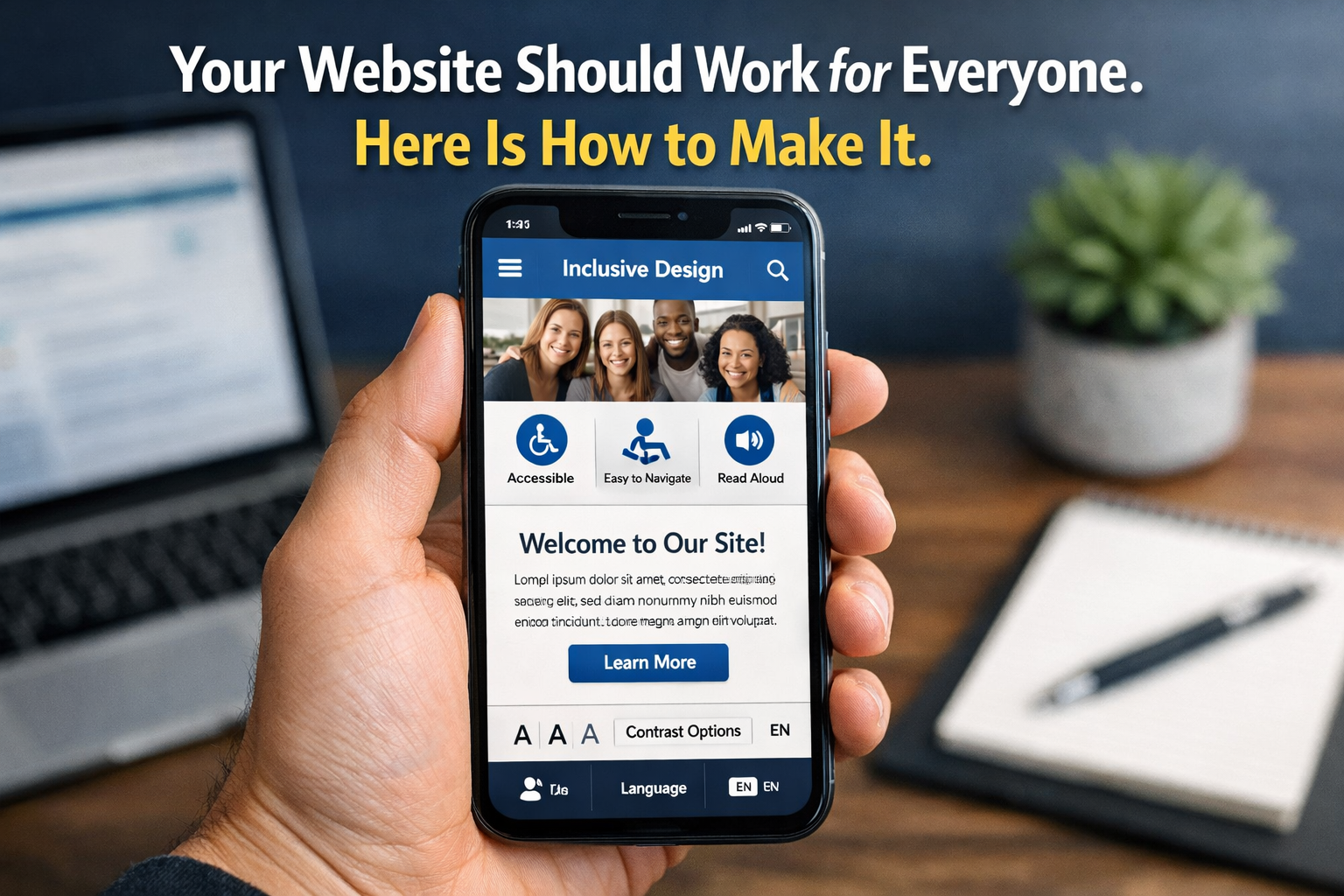
Web Accessibility (WCAG) Compliance for Indian Companies: Why It Matters Now
29 min read
India has over 90 million people with disabilities. WCAG compliance is no longer optional — it is becoming a legal requirement, a business advantage, and an SEO
Web Accessibility (WCAG) Compliance for Indian Companies: Why It Matters Now
India has over 90 million people with some form of disability — making it one of the largest populations of people with disabilities in the world. Visual impairments, hearing loss, motor difficulties, and cognitive differences affect how millions of people interact with websites and digital products every day.
Most Indian company websites are built without any of them in mind.
Web accessibility is the practice of building websites and digital products that work for every user — including those using screen readers, keyboard navigation, voice control, or other assistive technologies.
The Web Content Accessibility Guidelines (WCAG) are the internationally recognised standard that defines what an accessible website looks like. In 2026, these guidelines are no longer just a best-practice recommendation for Indian companies. They are becoming a legal requirement, a commercial differentiator, a procurement criterion for large enterprise and government contracts, and a direct factor in search engine optimisation.
This guide covers what WCAG is, what India's legal framework says about it, what it means in practice for your website, and how to achieve compliance without rebuilding your entire digital presence from scratch.
What This Guide Covers
- What web accessibility means and who it affects in India
- The four WCAG principles and three compliance levels explained plainly
- India's legal framework — the RPwD Act and what it requires of businesses
- Why accessibility matters for SEO, conversions, and business reach
- The 15 most important accessibility requirements for Indian websites
- How to audit your existing website for accessibility issues
- Common accessibility failures on Indian websites — and how to fix them
- What accessibility-compliant web development costs in 2026
- Two real examples showing the business impact of accessible design
- A practical implementation roadmap for Indian companies
What Web Accessibility Means — and Who It Actually Affects
When most people hear web accessibility, they imagine a niche concern relevant only to organisations specifically serving disabled users. This is a significant misunderstanding of both the scope of accessibility and the size of the audience it affects.
Consider the range of situations where accessibility features become relevant:
User Situation
Accessibility Need
How Many People in India
Blind or severely visually impaired
Screen reader software reads page content aloud. Requires correct semantic HTML, image alt text, and logical page structure.
Approximately 5 million people (National Blindness Survey)
Low vision or colour blindness
Sufficient colour contrast between text and background. Text resizable without breaking layout. No colour used as the only conveyor of information.
Approximately 60 to 80 million people with some visual impairment
Deaf or hard of hearing
Captions or transcripts for all video and audio content. No audio-only alerts or notifications.
Approximately 18 million people
Motor or physical disability
Full keyboard navigation without requiring a mouse. Large click targets. No time limits on interactions.
Approximately 20 million people
Cognitive or learning differences
Clear, simple language. Consistent navigation. Error messages that explain clearly what went wrong. No flashing or animated content.
Approximately 8 to 10 million people
Situational — temporary context
Broken arm, bright sunlight on phone screen, slow internet connection, public place without audio.
Every internet user experiences these at some point
Elderly users with age-related changes
Larger text, high contrast, simple navigation, no complex gestures or time-sensitive interactions.
India's population over 60 is approximately 140 million and growing
The combined potential audience for accessible web design in India — people with permanent disabilities, age-related changes, and situational limitations — is not a niche. It is a substantial portion of every Indian company's existing and potential customer base.
An inaccessible website is not just excluding disabled users. It is excluding elderly relatives helping their families navigate online services, users on slow connections who benefit from clean semantic HTML, users in bright outdoor conditions who need high contrast, and anyone using a keyboard rather than a mouse for any reason.
The Four WCAG Principles — Explained in Plain English
WCAG is organised around four core principles, often remembered by the acronym POUR. Every accessibility requirement in WCAG flows from one of these four principles:
Principle
One Word
What It Means for Your Indian Business Website
Perceivable
See / Hear
All content on your website must be presentable to users in ways they can perceive. If a user cannot see images, the image must have a text alternative. If a user cannot hear audio, there must be a caption or transcript. Nothing important should be conveyed through sight or sound alone.
Operable
Use / Navigate
All functionality of your website must be operable. A user who cannot use a mouse must be able to navigate with a keyboard. A user who needs more time must not be timed out of important processes. No content should cause seizures. Navigation must be consistent and predictable.
Understandable
Read / Predict
Content and operation of your website must be understandable. Text must be readable. Pages must behave predictably. Forms must have clear labels and helpful error messages. Users must be able to understand both what the website contains and how to use it.
Robust
Compatible
Content must be robust enough to be interpreted by a wide variety of technologies — including current and future assistive technologies. This primarily means writing clean, standard HTML that screen readers and browser accessibility tools can parse correctly.
The Three WCAG Compliance Levels
WCAG defines three levels of compliance. Each level builds on the previous:
- Level A: The minimum. Addresses the most critical barriers that prevent some users from accessing content entirely. Without Level A compliance, significant groups of users simply cannot use your website at all.
- Level AA: The standard target. This is what most governments, procurement policies, and accessibility regulations require. It addresses the most common and most impactful accessibility barriers. Level AA is what Indian companies should target.
- Level AAA: The highest level. Addresses accessibility for the broadest possible range of users and situations. Not required by most regulations and not always achievable for all content types. Aim for AA; treat AAA as aspirational.
India's legal framework and most enterprise procurement policies reference WCAG Level AA as the required standard. When this guide refers to accessibility compliance, it means WCAG 2.1 Level AA — the current benchmark for Indian companies in 2026.
India's Legal Framework — What the Law Requires
Web accessibility in India sits at the intersection of two legislative frameworks — and understanding both is important for any Indian company building or maintaining a digital presence.
The Rights of Persons with Disabilities Act 2016 (RPwD Act)
The RPwD Act is India's primary legislation protecting the rights of persons with disabilities. It aligns with the United Nations Convention on the Rights of Persons with Disabilities (UNCRPD), which India has ratified.
Section 42 of the RPwD Act specifically addresses access to electronic media and information, requiring that all electronic content be made accessible to persons with disabilities. The Act applies to all establishments — government and private — and defines accessibility as a right, not a courtesy.
The Guidelines for Indian Government Websites (GIGW), now in version 3.0 as of 2023, mandate WCAG 2.1 Level AA compliance for all government websites and digital services. While these guidelines are currently mandatory primarily for government entities, they represent the direction of travel for private sector requirements.
The Digital Personal Data Protection Act 2023 (DPDPA)
While the DPDPA is primarily a data privacy law, it has indirect accessibility implications. Consent forms, privacy notices, and data management interfaces must be clear, understandable, and accessible to all users — including those with cognitive or visual disabilities. An inaccessible consent mechanism may not constitute valid informed consent under the Act.
Procurement and Contract Requirements
An increasing number of large Indian enterprises and all central government procurement processes require suppliers and service providers to demonstrate WCAG compliance as a condition of contract. For Mumbai-based businesses working with enterprise clients, government departments, or MNCs operating in India, accessibility compliance is becoming a qualification criterion — not a differentiator.
Companies that cannot demonstrate accessible digital products are already being excluded from procurement shortlists in sectors including banking, insurance, healthcare, and education. This trend is accelerating.
The International Context
India's legal framework is moving in the direction already established by the EU's European Accessibility Act (mandatory from June 2025), the US Americans with Disabilities Act (ADA — which courts have interpreted to cover websites), and Australia's Disability Discrimination Act. Indian companies with international operations, investors, or partnerships are increasingly subject to accessibility requirements from multiple jurisdictions simultaneously.
Why Accessibility Is Also a Business Advantage
Beyond compliance, web accessibility delivers direct commercial benefits that are frequently underestimated by Indian businesses. Here is the evidence:
Accessibility and SEO
The practices that make a website accessible also make it significantly more SEO-friendly. This is not a coincidence — Google's crawlers, like screen readers, rely on semantic HTML, descriptive text alternatives, logical page structure, and meaningful link text to understand and rank content.
- Image alt text — required for accessibility, also tells Google what each image depicts and improves image search ranking
- Semantic HTML headings — required for screen reader navigation, also provides Google with a clear content hierarchy
- Descriptive link text — 'learn more about our website development services in Mumbai' is more accessible than 'click here', and more SEO-valuable
- Video transcripts and captions — required for deaf users, also provide Google with indexable text content from your video
- Fast loading and clean code — accessibility requires efficient, well-structured code that also improves Core Web Vitals scores
A website built to WCAG AA standard will typically perform significantly better in Google search rankings than an equivalent non-accessible site — simply because the same technical practices that support screen readers also support search engine crawlers.
Accessibility and Conversion Rate
Accessible websites convert better — not just for users with disabilities, but for all users. The design principles of accessibility overlap significantly with the principles of good UX:
- Clear, high-contrast text is easier for all users to read — particularly on mobile screens in bright sunlight
- Logical form design with clear labels and helpful error messages reduces form abandonment for every user
- Consistent navigation reduces cognitive load for all visitors — making it easier to find what they are looking for
- Large, well-spaced touch targets improve mobile usability for all users — not just those with motor difficulties
Research from the Web Accessibility Initiative consistently shows that accessibility improvements produce conversion rate improvements across entire user bases — not just the users with disabilities who directly required the change.
Accessibility and Brand Reputation
For Indian companies targeting enterprise clients, international partnerships, or ESG-conscious investors, demonstrable accessibility compliance is increasingly a component of corporate responsibility reporting. An inaccessible website in 2026 signals a company that has not kept pace with modern standards — regardless of how good the underlying product or service is.
Conversely, a company that actively leads on accessibility in the Indian market has a meaningful differentiator with large institutional clients who have their own accessibility obligations to manage.
The 15 Most Important WCAG Requirements for Indian Websites
Rather than covering all 78 WCAG 2.1 success criteria in detail, here are the 15 most impactful requirements for Indian business websites — the ones that address the most common failures and affect the broadest range of users:
Requirement
What It Means in Practice
WCAG Level
1
Alt text for all images
Every image that conveys information must have a descriptive text alternative. Decorative images that add no information should have an empty alt attribute so screen readers skip them.
Level A
2
Sufficient colour contrast
Text must have a contrast ratio of at least 4.5:1 against its background (3:1 for large text). This affects most design decisions — particularly body text on coloured backgrounds.
Level AA
3
Keyboard navigation
All functionality must be accessible using only a keyboard — Tab, Enter, Arrow keys, Escape. No content that requires a mouse hover or click-and-drag as the only method of access.
Level A
4
Visible focus indicators
When a user navigates with a keyboard, there must be a clearly visible indicator showing which element has focus. Many Indian websites hide the default browser focus outline using CSS — this directly breaks keyboard accessibility.
Level AA
5
Logical heading structure
Use heading tags (H1, H2, H3) in correct hierarchical order. A single H1 per page. Headings must describe the content that follows — not just be styled for visual appearance.
Level A
6
Form labels
Every form field must have a programmatically associated label. 'Placeholder text that disappears' is not a label. Label elements must be properly connected to their input elements using the 'for' and 'id' attributes.
Level A
7
Descriptive error messages
Form error messages must specifically describe what went wrong and how to fix it. 'Invalid input' is not sufficient. 'Please enter a valid 10-digit mobile number starting with 6, 7, 8, or 9' is acceptable.
Level A
8
No content flashing more than 3 times per second
Flashing content can cause seizures in users with photosensitive epilepsy. No element on any page should flash or strobe more than 3 times per second.
Level A
9
Skip navigation link
A link that allows keyboard and screen reader users to skip the repeated navigation menu at the top of the page and jump directly to main content. Essential on content-heavy or multi-page sites.
Level A
10
Page language declaration
The HTML lang attribute on every page must be set to the correct language. For an English-language Indian website, this is lang='en'. For Hindi content, lang='hi'. This enables screen readers to use the correct pronunciation.
Level A
11
Descriptive link text
'Click here' and 'read more' are inaccessible link texts — they convey nothing out of context to a screen reader user navigating by links. Every link must describe its destination or purpose.
Level A
12
Captions for video content
All pre-recorded video with audio must have accurate captions. Auto-generated captions from YouTube are not sufficient for compliance — they must be reviewed and corrected.
Level AA
13
Text resize without loss of content
Users must be able to increase text size to 200% using browser settings without any content being cut off, overlapping, or requiring horizontal scrolling.
Level AA
14
No keyboard trap
Users must be able to navigate to any component on the page and navigate away from it using the keyboard alone. Modal dialogs and custom widgets frequently create keyboard traps that strand users.
Level A
15
Consistent navigation
Navigation menus, search fields, and other repeated elements must appear in the same location and in the same order on every page. Inconsistent navigation significantly increases cognitive load.
Level AA
Addressing these 15 requirements alone will resolve the majority of accessibility barriers on most Indian business websites. Items 1, 2, 3, 4, 5, 6, and 11 are the most commonly failed requirements on Indian websites audited in 2026 — and all seven are straightforward to fix with a focused development effort.
The Most Common Accessibility Failures on Indian Websites
After auditing dozens of Indian company websites, these are the patterns we see most consistently — and the ones that cause the most significant accessibility barriers:
Failure 1: Images Without Alt Text
Product images, team photos, infographics, and banner images with no alt attribute at all. A screen reader user navigating an eCommerce site with no image alt text receives no information about the products being displayed — they are effectively browsing blind even within the digital environment.
Fix: Add descriptive alt text to every informational image. For a product image: 'Blue cotton kurta with white embroidery, size S to XL available'. For a team photo: 'Rahul Shah, Founder and CEO of GarunaCDX'. For a purely decorative image: alt=''.
Failure 2: Colour Contrast Too Low
Light grey text on white backgrounds. Yellow text on white. Brand-coloured text that fails the 4.5:1 ratio. This is extremely common on Indian websites that have been designed primarily for aesthetics rather than readability — and it affects every user, not just those with visual impairments.
Fix: Use the WebAIM Contrast Checker (webaim.org/resources/contrastchecker) to verify every text and background colour combination on your website. Adjust the shade of either the text or background colour until the ratio passes. This often requires only a small adjustment — darkening a grey or lightening a background.
Failure 3: No Focus Visible on Interactive Elements
Many Indian web designers remove the default browser focus outline using the CSS rule outline: 0 or outline: none because it appears visually inconsistent with the design. This single line of CSS makes the entire website inaccessible for keyboard users — they have no way of knowing which element they are currently focused on.
Fix: Never remove focus outlines without providing a custom alternative. Add a visible custom focus style: :focus { outline: 2px solid #000000; outline-offset: 2px; }. This is clean, consistent with any design, and fully accessible.
Failure 4: Form Fields Without Proper Labels
Contact forms, enquiry forms, and checkout forms where input fields have placeholder text but no visible label element, or where labels and inputs are not programmatically associated. Placeholder text disappears when the user starts typing — leaving them unable to recall what a field requires. Screen readers cannot reliably announce placeholder text as form field labels.
Fix: Every form input must have a visible label element connected using matching 'for' and 'id' attributes. Do not rely on placeholder text as the only form field label.
Failure 5: PDFs and Documents With No Accessibility
Indian company websites frequently link to PDFs — annual reports, brochures, terms and conditions, price lists. Most of these PDFs are scanned images or untagged documents that are completely inaccessible to screen readers. A PDF with no text layer is, to a screen reader, a blank document.
Fix: All PDFs linked from your website should be properly tagged using Adobe Acrobat's accessibility tools, or replaced with accessible HTML pages. Running PDFs through Acrobat's 'Make Accessible' wizard adds basic structure tags, though manual review is recommended for complex documents.
Failure 6: Videos Without Captions
Indian companies increasingly use video content — product demos, testimonials, explainers. The majority of these videos have no captions. This excludes deaf users entirely and significantly disadvantages users in public spaces or noisy environments who have turned their sound off.
Fix: Add accurate captions to all video content. YouTube's auto-captions are a starting point but require correction — they are often inaccurate with Indian names, product names, and Hindi-English code switching. Invest in accurate caption review for any video that carries important product or business information.
How to Audit Your Website for Accessibility — Free Tools
Before committing to a compliance programme, you need to understand the current state of your website. Here are the four most useful free accessibility auditing tools for Indian businesses:
Tests foreground and background colour combinations against WCAG contrast ratio requirements
Enter your text colour and background colour hex codes. The tool shows whether you pass AA and AAA for normal and large text.
These automated tools identify approximately 30 to 40% of WCAG failures. The remaining failures require manual testing — particularly keyboard navigation testing, screen reader testing, and cognitive accessibility review. A full WCAG audit combines both automated and manual testing.
For a meaningful initial audit, run your website through WAVE and Lighthouse, fix every red error reported by WAVE, and address every item flagged by Lighthouse. This will typically resolve the most critical failures and bring most Indian business websites to a passing Level A standard — from which Level AA compliance is achievable with targeted additional work.
What Accessibility-Compliant Web Development Costs in India in 2026
One of the most common misconceptions about web accessibility is that it is expensive. In practice, the cost depends entirely on when accessibility is considered — during the initial build, or as a retrofit to an existing non-accessible site:
Scenario
Approach
Approximate Cost
New website built accessibility-first
Accessibility integrated from the design and development process — semantic HTML, correct colour contrast, keyboard navigation built in from the start.
Rs. 0 additional cost — accessibility is not a feature, it is correct development practice
Existing website — WAVE and Lighthouse fixes only
Developer addresses all automated errors — alt text, form labels, focus indicators, contrast issues, heading structure.
Rs. 8,000 to Rs. 25,000 depending on site size and number of issues
Existing website — full WCAG AA audit and remediation
Automated + manual audit, keyboard testing, screen reader testing, and comprehensive remediation of all identified failures.
Rs. 25,000 to Rs. 80,000 for a standard business website of 10 to 20 pages
Ongoing accessibility maintenance
Annual audit as new content and features are added, ensuring new development does not introduce accessibility regressions.
Rs. 5,000 to Rs. 15,000 per year
Enterprise platform or complex eCommerce
Full audit, remediation, and accessibility statement for large, complex platforms — multiple user flows, multiple roles, video content.
Rs. 80,000 to Rs. 3,00,000+ depending on complexity
The most important implication of this table: accessibility built in from day one costs nothing extra. Every website GarunaCDX builds includes semantic HTML, proper heading structure, image alt text, form labels, keyboard navigation, and WCAG AA colour contrast as standard practice — not as optional add-ons. Retrofitting accessibility onto a poorly-built website is where the cost lies.
Real Example 1: A Mumbai EdTech Platform That Gained Enterprise Contracts
Example — EdTech Platform, Mumbai
A Mumbai-based EdTech platform was bidding for contracts to deliver training content to employees of two large Indian banks. Both banks required WCAG 2.1 Level AA compliance as a condition of the tender.
The platform's website and learning management system failed on 23 of the 50 criteria in the banks' accessibility checklist:
- 340 images with no alt text across the content library
- Video content with no captions — the primary content format
- Form fields without visible labels throughout the registration flow
- Focus indicators removed across the entire interface
- Colour contrast failures on the primary body text and UI components
GarunaCDX was engaged to audit and remediate the platform.
Remediation work completed over 6 weeks:
- Alt text added to all 340 images using a structured content process
- Captions added to the 22 most-used video modules (prioritised by view count)
- All form fields given visible labels with correct programmatic association
- Custom focus styles added across all interactive elements
- Colour palette adjusted — body text contrast improved from 3.8:1 to 5.2:1
- Skip navigation link added to every page
- Accessibility statement published documenting conformance level and known limitations
Cost of remediation: Rs. 68,000
Outcome:
- Both bank contracts awarded — combined value Rs. 24,00,000 over 2 years
- Accessibility compliance mentioned specifically in both contract award notifications
- Return on accessibility investment: 35x in the first contract cycle
Real Example 2: A Retail Website That Improved SEO Rankings After Accessibility Fix
Example — Retail eCommerce Website, Navi Mumbai
A home goods retailer in Navi Mumbai had a WooCommerce website with 280 products. Their Google Search Console showed declining impressions over 6 months despite consistent content publishing.
A GarunaCDX audit identified 4 accessibility issues that were directly affecting SEO performance:
- 280 product images had no alt text — Google had no information about what any product was
- Heading structure was broken — H1 on every page was the site name, not the page content
- Category page titles used generic 'products' text — no keyword relevance
- Body text colour was #888888 on a white background — 3.5:1 contrast ratio, below WCAG AA
Fixes applied over 2 weeks:
- All 280 product images given descriptive alt text including product name and key attributes
- H1 on every product page changed to the product name with category
- H1 on category pages changed to the category name with Mumbai location where appropriate
- Body text colour darkened to #555555 — 7.0:1 contrast ratio, exceeds WCAG AA
Cost of work: Rs. 18,000
SEO results after 60 days:
- Google Search Console impressions: increased by 41%
- Organic clicks: increased by 29%
- 18 product pages moved from page 2 to page 1 for their primary keywords
- 4 product pages moved to position 1 to 3 for specific product name searches
- Monthly organic revenue: increased from Rs. 42,000 to Rs. 58,000
The retail example illustrates something important: accessibility improvements are not just a compliance exercise. They are often the fastest available SEO improvement for an existing website — because the same semantic structure that helps screen readers helps Google crawlers. In this case, fixing 4 accessibility issues produced a 29% increase in organic traffic within 60 days.
The Practical Implementation Roadmap for Indian Companies
Whether you are building a new website or improving an existing one, here is a prioritised roadmap to WCAG AA compliance:
Phase
What to Do
Time Required
1
Audit
Run WAVE and Google Lighthouse on your 5 most important pages. Document every error. Contrast check your primary text and background colours.
Half a day — free tools
2
Quick Fixes
Fix all automated errors: add alt text to images, add form labels, restore focus indicators, fix contrast failures. These are typically developer tasks of 1 to 3 days total.
1 to 3 days developer time
3
Structure
Correct heading hierarchy across all pages. Add skip navigation link. Verify lang attribute is set correctly. Check all link text is descriptive.
1 to 2 days developer time
4
Manual Testing
Test keyboard navigation through every user journey on your site. If you have video content, add captions. Test form error messages for clarity and usefulness.
2 to 4 days
5
Document
Publish an Accessibility Statement on your website listing your conformance level, any known limitations, and how users can report accessibility problems.
2 to 4 hours
6
Maintain
Add accessibility checks to your development process for all new content and features. Conduct a full audit annually or after major site updates.
Ongoing — 30 minutes per new feature
A standard Indian business website can typically achieve WCAG Level A compliance within 1 to 2 weeks of focused development effort. Moving from Level A to Level AA — which is the legal and procurement target — typically requires an additional 1 to 3 weeks depending on the complexity of the site and the number of Level AA failures identified in the manual testing phase.
How GarunaCDX Builds Accessible Websites
At GarunaCDX, web accessibility is not a feature we add at the end of a project. It is a design and development standard we apply from the beginning of every build.
Our standard accessibility practices on every website we deliver:
- Semantic HTML throughout — correct heading hierarchy, landmark elements (header, main, nav, footer), and meaningful document structure
- All images receive alt text as part of content delivery — we provide alt text guidelines to clients for their own image uploads
- Form labels correctly associated with inputs — no placeholder-only forms
- Custom focus indicators on all interactive elements — never outline: none without an accessible replacement
- WCAG AA colour contrast verified on all text and UI components before design approval
- Keyboard navigation tested through all primary user journeys before launch
- HTML lang attribute set correctly for each page
- Skip navigation link included on all multi-page sites
- Google Lighthouse accessibility score of 90 or above as a launch requirement
For clients with specific compliance requirements — enterprise procurement, government contracts, healthcare platforms, educational institutions — we offer a full WCAG 2.1 Level AA audit and certification process as part of the project scope. This includes automated testing, manual keyboard and screen reader testing, and a formal Accessibility Conformance Report that can be submitted as evidence of compliance.
Useful Links and Further Reading
Internal Links (Add to Blog)
External Authority Links
Full Stack Web Development Roadmap for Non-Tech Founders [/blog/full-stack-web-development-roadmap-non-tech-founders-2026]
Q1. Is web accessibility legally required for private companies in India?
The RPwD Act 2016 requires that all establishments — including private companies — ensure accessibility of their services and communications to persons with disabilities. Section 42 specifically addresses electronic media accessibility. While enforcement specifically targeting private company websites has been limited to date, the direction is clearly toward broader application of the law — particularly as government digital services mandates are progressively extended to private sector entities. Companies bidding for government or large enterprise contracts are already subject to WCAG compliance requirements as contractual conditions. The practical advice for Indian private companies is to treat WCAG AA compliance as a current business requirement, not a future one.
Q2. What is the difference between WCAG 2.0, 2.1, and 2.2?
WCAG 2.0 was the original version, published in 2008. WCAG 2.1, published in 2018, added 17 new success criteria — particularly for mobile accessibility, cognitive accessibility, and low vision users. WCAG 2.2, published in October 2023, added 9 additional criteria with a focus on cognitive accessibility and consistent help mechanisms. India's government guidelines currently reference WCAG 2.1 Level AA as the standard. For new builds in 2026, GarunaCDX recommends targeting WCAG 2.1 AA as the baseline, with WCAG 2.2 guidance applied where feasible — particularly for the focus indicator improvements and authentication accessibility requirements added in 2.2.
Q3. How do I test my website with a screen reader?
The most widely used free screen readers are NVDA for Windows (nvaccess.org, free download) and VoiceOver built into Mac and iOS. For testing purposes, install NVDA on a Windows computer and navigate your website using only the keyboard — Tab to move between elements, Enter to activate links and buttons, and the NVDA reading commands to hear how content is announced. Pay attention to whether images are described, whether form labels are read correctly, whether headings allow you to navigate efficiently, and whether interactive elements clearly indicate their purpose when focused. If your website is confusing or unusable with a screen reader, it will fail any formal accessibility audit.
Q4. My website was built 3 years ago. How difficult is it to make it WCAG compliant?
The difficulty depends on how the website was originally built. A well-structured WordPress or Next.js website from 3 years ago can typically be brought to WCAG AA compliance with 1 to 3 weeks of focused development work — primarily adding alt text, fixing form labels, restoring focus indicators, and correcting contrast issues. A website built on a highly customised or outdated platform, or one with significant structural problems like broken heading hierarchies across hundreds of pages, may require more extensive work. GarunaCDX offers a free accessibility audit that tells you exactly what is needed and what it will cost to achieve compliance before any work begins.
Q5. Does making a website accessible make it look worse or limit design creativity?
No — this is the most persistent myth about web accessibility. Accessible design constraints — sufficient contrast, logical structure, clear labels, consistent navigation — are also good design constraints. The world's most respected design systems, including Google's Material Design and Apple's Human Interface Guidelines, are built entirely around accessibility principles. Some of the cleanest, most effective website designs are also the most accessible. The idea that accessibility competes with aesthetics comes from designers who treat it as a restriction rather than as a fundamental quality criterion. At GarunaCDX, our accessible websites are indistinguishable from non-accessible ones in terms of visual quality — they simply work for every user, not just most of them.
Final Thoughts — Accessibility Is Not About Compliance. It Is About People.
The legal and commercial arguments for web accessibility are real and increasingly compelling for Indian companies. The SEO benefits are measurable and often immediate. The procurement advantages are significant for companies working with enterprise clients.
But the most important reason to build an accessible website is simpler than any of those arguments.
Over 90 million people in India have a disability. Hundreds of millions more are elderly, situationally impaired, or using devices and connections that make accessibility features directly relevant to their experience. When your website is inaccessible, you are not just failing a compliance test. You are telling a substantial portion of the Indian population that your digital presence was not built with them in mind.
In 2026, with the tools and frameworks available, there is no technical or financial justification for building an inaccessible website. The practices that make a website accessible are the same practices that make it fast, SEO-optimised, and professionally built. Accessibility is not a special project. It is what good web development looks like.
Every website GarunaCDX builds is accessible by default. Because it should be — and because every person who visits your website deserves to be able to use it.
Is Your Website Accessible? Get a Free Audit from GarunaCDX
GarunaCDX builds WCAG-compliant websites for Indian businesses as standard. We also offer standalone accessibility audits and remediation for existing websites — with a written report and a fixed-price quote before any work begins.