How to Use WhatsApp for Business to Get More Clients in Mumbai — 2026 Guide
28 min read
India has 500 million WhatsApp users. Most Mumbai small businesses use it only to reply to messages. Here is how to use it properly to generate consistent clien
How to Use WhatsApp for Business to Get More Clients in Mumbai — 2026 Guide
India has over 500 million WhatsApp users. Mumbai alone has tens of millions. Every potential client of your business — every person who might call you, visit your shop, book your service, or buy your product — is almost certainly on WhatsApp every single day.
Most Mumbai small businesses use WhatsApp only to reply to messages that come in. That is the equivalent of having a phone and only answering calls — never making them.
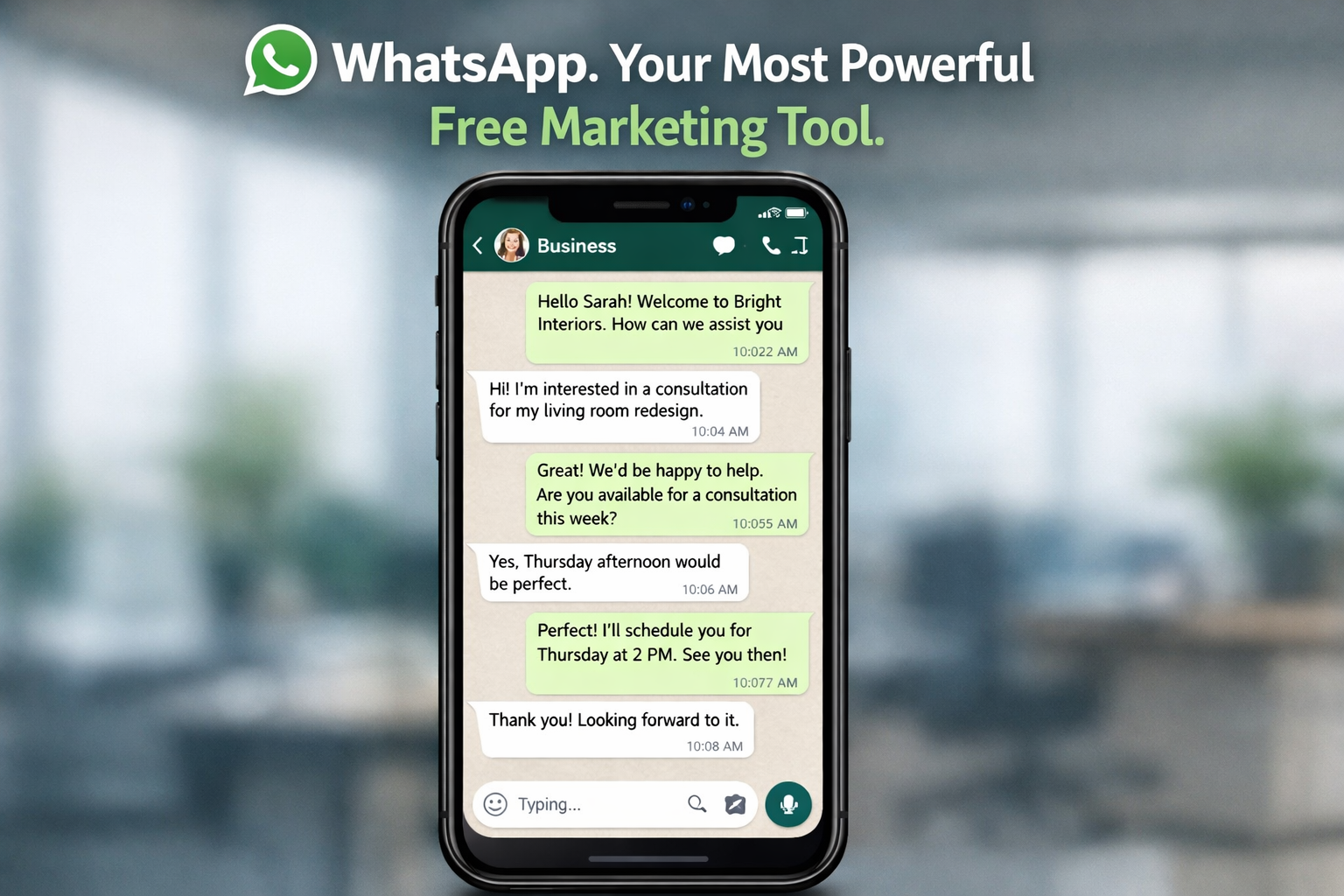
WhatsApp Business, used correctly, is the most personal, most cost-effective, and most immediately responsive marketing channel available to any Mumbai small business in 2026. It is completely free. It requires no design skills. It does not need an agency. And it works because Indian customers are more comfortable initiating contact, asking questions, and making purchasing decisions through WhatsApp than through any other channel.
This guide covers everything — setting up WhatsApp Business correctly, the features most businesses never use, the message templates that convert enquiries into clients, and the strategies that Mumbai small businesses are using right now to generate consistent new business without spending a rupee on advertising.
What This Guide Covers
- Why WhatsApp is the most powerful free marketing tool for Mumbai businesses
- WhatsApp vs WhatsApp Business — the complete feature comparison
- Step-by-step WhatsApp Business setup guide
- The 6 features most Mumbai businesses never use — and how to use each
- Ready-to-use message templates for enquiries, follow-ups, and reviews
- How to use broadcast lists without getting blocked
- WhatsApp Status as a daily marketing channel
- The label and pipeline system that ensures no lead is ever lost
- Two real case studies from Navi Mumbai businesses
- A 30-day WhatsApp marketing action plan
Why WhatsApp Is the Most Important Marketing Channel for Mumbai Small Businesses
Consider how your Mumbai clients actually behave when they need a service. They see your Instagram post, or someone recommends you, or they find you on Google. What do they do next?
They do not call. They do not email. They send a WhatsApp message.
This is the behaviour pattern of the overwhelming majority of Mumbai consumers — and it has significant implications for how small businesses should be communicating, following up, and marketing:
- WhatsApp messages have an open rate of over 95% — compared to 20 to 30% for email
- The average WhatsApp message is read within 3 minutes of being sent
- Indian consumers are 3 to 4 times more likely to respond to a WhatsApp message than a phone call from an unknown number
- WhatsApp is the preferred channel for pre-purchase questions, quote requests, and booking confirmations across all age groups in Mumbai
- A WhatsApp link on your website or GBP listing increases enquiry conversion rate by removing all friction from first contact
No other free marketing channel reaches your potential clients where they already are, with the speed and personal feel that WhatsApp provides. Used properly, it is not just a communication tool — it is your most effective client acquisition and retention system.
WhatsApp vs WhatsApp Business — What Is the Difference?
Many Mumbai small business owners use their personal WhatsApp account for business communication. This works — but it misses an enormous set of features specifically designed for business use. Here is a direct comparison:
Feature
Regular WhatsApp
WhatsApp Business
Business profile with address and hours
No
Yes — shows your business details to everyone who messages you
Business category label
No
Yes — shows your category e.g. Salon, Restaurant, Web Agency
Short description / bio
No
Yes — 256 character business description
Auto-reply when you are offline
No
Yes — instant automated reply outside business hours
Greeting message for new contacts
No
Yes — automated welcome message for first-time contacts
Quick replies for common responses
No
Yes — save full messages as shortcuts, send with one tap
Product and service catalogue
No
Yes — browse-able catalogue visible to all who message you
Labels to organise contacts
No
Yes — colour-coded labels: New Enquiry, Paid, Follow Up, etc.
Broadcast lists
Yes — limited
Yes — send to saved contacts who have your number
WhatsApp Web support
Yes
Yes — manage from desktop browser
Link to website and social profiles
No
Yes — visible in your business profile
Message statistics
No
Yes — sent, delivered, and read counts
WhatsApp Business is free to download and use. There is no subscription, no feature paywall, and no catch. If you are currently using a personal WhatsApp account for your business, switching to WhatsApp Business takes 10 minutes and immediately unlocks every feature in the right column of this table.
Step-by-Step: Setting Up WhatsApp Business Correctly
Most Mumbai businesses install WhatsApp Business and leave it at the default settings — missing the majority of its value. Here is the correct setup sequence:
Setup Step
How to Do It and What to Write
1
Business name
Settings > Business name. Use your real business name — e.g. GarunaCDX. This is visible to everyone who messages you.
2
Business category
Settings > Business profile > Category. Choose the most specific match — Hair Salon, Web Designer, Restaurant, etc. This appears under your name.
3
Business description
Settings > Business profile > Description. Write 2 to 3 sentences: what you do, who you serve, where you are based. Include your location naturally. Example: 'We are a website development company in Navi Mumbai and Mumbai. We build SEO-optimised websites for local businesses across Kharghar, Panvel, and Vashi. Contact us for a free quote.'
4
Address and hours
Add your physical address if you have one. Set exact opening and closing hours for every day of the week. These are visible in your business profile.
5
Website and email
Add your website URL. Add your business email. These make your profile a mini-directory entry for your business.
6
Catalogue
Business tools > Catalogue. Add every service or product with a name, photo, price or price range, and a 2 to 3 sentence description. This is the most underused WhatsApp Business feature in Mumbai.
7
Greeting message
Business tools > Greeting message. Write a warm, professional greeting for first-time contacts. Example: 'Hi! Welcome to GarunaCDX. We build websites for businesses in Navi Mumbai and Mumbai. How can we help you today? Share your requirements and we will get back to you within the hour.'
8
Away message
Business tools > Away message. Set active outside your business hours. Example: 'Thank you for reaching out to [Business Name]. We are currently offline and will respond by 10am tomorrow. For urgent enquiries please call [number].'
9
Quick replies
Business tools > Quick replies. Save your 5 to 8 most frequently typed messages as shortcuts. Press / and a keyword to insert the full message instantly. Saves significant time every day.
10
Profile photo
Use your business logo or a professional photo of yourself. First impression matters — a blank or personal photo reduces trust.
Complete this setup in a single sitting — it takes approximately 45 to 60 minutes to do thoroughly. Once done, every person who messages your business sees a professional, complete profile that immediately builds credibility.
The 6 WhatsApp Business Features Most Mumbai Businesses Never Use
After setting up the basics, most Mumbai business owners stop. Here are the 6 features that the most effective WhatsApp marketers in Mumbai use consistently — and that the majority of small businesses are leaving completely unused:
Feature 1: The Product Catalogue
Your WhatsApp Business catalogue is a browseable list of your products or services with photos, descriptions, and prices. When someone messages you and asks 'what do you offer?', you can share your entire catalogue in a single tap instead of typing it out every time.
More importantly, people who visit your WhatsApp profile directly — from a link on your website, your GBP listing, or your Instagram bio — can browse your catalogue before they even send you a message. This pre-qualifies them and shortens the conversation to close.
Every Mumbai small business should have a complete, up-to-date catalogue. Add every service or product with a real photo, a clear price or range, and a 2 sentence description. Think of it as your digital menu — always visible, always up to date, zero additional cost.
Feature 2: Quick Replies
Quick replies let you save any message as a shortcut. You type a forward slash and the shortcut keyword, and the full saved message populates instantly.
The 8 quick replies every Mumbai small business should have saved:
- Greeting — your standard first response to a new enquiry
- Pricing — your pricing information or a link to your pricing page
- Catalogue link — a link to share your full service catalogue
- Availability — your current availability or booking process
- Quote request — what information you need to send a quote
- Confirmation — booking or order confirmation message
- Review request — your standard review request with the Google review link
- Follow up — your standard follow-up message for unanswered quotes
Each of these messages, typed individually every time, takes 30 to 60 seconds. With quick replies, each takes 3 seconds. Over 30 client conversations per month, this saves hours of repetitive typing — and ensures consistent, professional communication every time.
Feature 3: The Label System
WhatsApp Business labels let you colour-code every contact and conversation by their stage in your client journey. This is your client pipeline management system — built directly into WhatsApp, at no cost.
Recommended label system for a Mumbai small business:
Label Name
Who Gets This Label
Action Triggered
New Enquiry
Anyone who messages for the first time
Respond within 2 hours. Send catalogue if relevant.
Quote Sent
Contacts who have received a proposal or quote
Follow up in 48 hours if no response. Send follow-up quick reply.
Active Client
Paying clients with work in progress
Priority response. Keep updated on project progress.
Payment Pending
Clients with outstanding invoices
Send polite payment reminder at 7 days and 14 days overdue.
Follow Up
Leads who went cold — did not respond to quote
Re-engage monthly with a relevant update or new offer.
Completed
Past clients — project delivered and paid
Add to broadcast list. Send review request. Re-engage quarterly.
This system ensures no lead is ever forgotten, no follow-up is ever missed, and your past clients are being re-engaged regularly. It takes 30 seconds to apply a label to a conversation. The business value — particularly from the Follow Up and Completed labels — is significant.
Feature 4: Broadcast Lists — Done Right
A WhatsApp broadcast list lets you send a message to multiple saved contacts simultaneously. Each recipient receives it as a personal message — they cannot see who else received it, and replies come back to you individually.
The critical rule: broadcast messages only go to contacts who have saved your number. This is both a legal requirement under WhatsApp's terms and a practical quality filter — people who have saved your number have had a prior interaction with your business and are warm contacts.
For a Mumbai small business, a monthly broadcast message to your completed client list is one of the highest-return marketing actions available. Past clients already trust you. A relevant, personalised broadcast message — a new service launch, a seasonal offer, a useful tip — generates bookings and referrals from people who require no convincing.
Feature 5: WhatsApp Status as a Daily Marketing Channel
WhatsApp Status posts — photos, videos, or text — are visible to all contacts who have saved your number. They disappear after 24 hours. Most Mumbai business owners post nothing to their Status, or post only personal content.
Used correctly, WhatsApp Status is a daily touchpoint with your entire client and prospect base — for free. Post once per day with:
- A photo of that day's work — a completed project, a prepared dish, a satisfied client
- A before and after transformation — a renovation, a haircut, a website
- A tip or useful piece of information relevant to your service
- A limited offer or availability update — 'Two slots available this Saturday'
- A client testimonial — a screenshot of a positive WhatsApp message or Google review
Clients who see your Status daily stay aware of your business. When they need your service again — or when someone asks for a recommendation — you are the first name that comes to mind. This is retention and referral marketing happening passively, every day, at zero cost.
Feature 6: The WhatsApp Link — Your Most Useful Conversion Tool
A WhatsApp link opens a conversation with your business directly when clicked — no saving your number first, no searching for your contact. It is the lowest-friction first contact mechanism available to any Mumbai business.
Your WhatsApp link should appear on:
- Every page of your website — as a floating button and in the header or footer
- Your Google Business Profile — in the description and as a website link if you do not have a separate website yet
- Your Instagram bio
- Your email signature
- Your business card — as a QR code that opens the chat directly
To create your WhatsApp link, go to wa.me/91XXXXXXXXXX — replacing XXXXXXXXXX with your 10-digit mobile number. You can also add a pre-filled message: wa.me/91XXXXXXXXXX?text=Hi%2C+I+would+like+to+enquire+about+your+services. This opens WhatsApp with a message already typed — reducing the effort required for the client to even one tap.
Message Templates That Convert — Ready to Use for Mumbai Businesses
The quality of your WhatsApp responses directly determines how many enquiries convert into paying clients. Here are 8 proven message templates tailored for Mumbai small businesses — save each as a quick reply:
Template 1 — First Response to a New Enquiry
Hi [Name],
Thank you for reaching out to [Business Name].
We specialise in [your service] for businesses and individuals in [your area] — Navi Mumbai and Mumbai.
To understand your requirements better, could you tell us:
- What you are looking for specifically?
- What is your approximate budget or timeline?
We will come back to you with options and pricing within [your turnaround time].
— [Your Name], [Business Name]
Template 2 — Sending a Quote or Proposal
Hi [Name],
Thank you for sharing your requirements. Based on what you have described, here is our recommendation:
[Brief summary of what you are proposing — 2 to 3 sentences]
Pricing: Rs. [X] to Rs. [Y] depending on [variable]
Timeline: [X] weeks from confirmation
Includes: [list 3 to 4 key inclusions]
Happy to answer any questions or adjust the scope to suit your budget.
Shall we set up a 15-minute call to go through it?
— [Your Name]
Template 3 — Follow-Up on an Unanswered Quote (48 Hours)
Hi [Name],
Just following up on the proposal I sent on [date].
Happy to answer any questions you might have, or adjust anything to better suit your needs.
Let me know if you would like to proceed or if you need more time — no pressure at all.
— [Your Name], [Business Name]
Template 4 — Google Review Request
Hi [Name],
It was a pleasure working with you on [project/service].
If you are happy with the outcome, would you mind leaving us a quick Google review?
It takes about 2 minutes and makes a real difference for us as a small Navi Mumbai business.
Here is the direct link — tap it and you are there:
[Your Google review direct link]
Thank you so much. Looking forward to working with you again.
— [Your Name]
Template 5 — Monthly Broadcast to Past Clients
Hi [Name],
Hope you are doing well.
Quick update from [Business Name]: [one relevant piece of news — new service, seasonal offer, useful tip].
[One clear call to action: 'Reply to this message if you would like to know more' or
'Forward this to anyone in your network who might find it useful' or
'We have [X] slots available this month — reply to book first.']
Thank you for your continued support.
— [Your Name], [Business Name]
Note: Personalise the greeting with the client's first name for every broadcast message.
A personalised message feels like a direct message — a generic one feels like spam.
How to Use WhatsApp Status for Daily Marketing — Without Being Annoying
The biggest fear Mumbai business owners have about posting daily on WhatsApp Status is being seen as spammy or annoying. This fear is understandable — but it is based on a misunderstanding of how Status works.
Unlike a broadcast message that lands in someone's chat, WhatsApp Status is opt-in. Contacts choose to view your Status. They swipe to it. They can mute it with one tap. The businesses that are considered annoying on WhatsApp Status are the ones who send broadcast messages too frequently — not the ones who post interesting Status content daily.
Here is a content calendar for WhatsApp Status that keeps your business visible without being intrusive:
Day
Status Content Type
Example for a Mumbai Service Business
Monday
Work in progress — today's project
A photo of a haircut in progress, a website being designed, food being prepared. Caption: 'Monday at [Business Name] — busy day ahead.'
Tuesday
A completed result or transformation
Before and after — a finished haircut, a launched website, a completed interior. Caption: 'Another [service] delivered for a happy Navi Mumbai client.'
Wednesday
A tip or useful information
One practical tip relevant to your service. 'Tip: Three things to ask your web developer before signing a contract.' Shows expertise.
Thursday
A client testimonial or positive message
Screenshot of a WhatsApp compliment or Google review (with client permission). Caption: 'This message made our week. Thank you [Name].'
Friday
Behind the scenes or team moment
Your workspace, your team at work, a tool or material you use. Caption: 'Friday at [Business Name] — here is a look behind the scenes.'
Saturday
An offer or availability update
'Two appointment slots left this weekend. Reply to book.' or 'Weekend special — 10% off [service] bookings made today.'
Sunday
Optional — rest or a light personal touch
A motivational thought, a photo of your community, or nothing. Business owners are people — occasional breaks are fine.
Each Status post takes 2 to 3 minutes to prepare and post. At 6 posts per week, that is approximately 15 to 20 minutes of marketing effort — with your entire saved contact list as the audience, for free, every single day.
How to Generate New Enquiries Using WhatsApp — Without Sending Unsolicited Messages
The most effective WhatsApp client generation strategies for Mumbai small businesses do not involve cold messaging strangers. Here are the approaches that generate new enquiries correctly:
Add a WhatsApp Button to Every Online Touchpoint
Every place a potential client can find your business online should have a direct WhatsApp link. Your website homepage — as a floating sticky button visible on every page. Your Google Business Profile listing — in the description and as a website link. Your Instagram bio. Your LinkedIn profile. Your email signature. Your business card as a QR code.
The WhatsApp button on a website is consistently one of the highest-converting elements on any Mumbai small business website. It removes all friction from first contact — no form to fill, no email to compose. One tap and the conversation has started.
Use WhatsApp Click-to-Chat Links in Your Marketing
A click-to-chat link opens a WhatsApp conversation pre-filled with a message — so the potential client does not even have to type their opening message. This dramatically increases the number of people who follow through on enquiring.
Example for a salon in Kharghar: wa.me/91XXXXXXXXXX?text=Hi%2C+I+would+like+to+book+an+appointment+at+your+Kharghar+salon.
Use this link in your Instagram bio, in your GBP description, and on your website. Every person who clicks it arrives in your WhatsApp with their opening message already written. All you need to do is reply.
Ask Every Satisfied Client for a Referral via WhatsApp
After delivering a service or completing a project, send a simple WhatsApp message asking for a referral. Most satisfied clients are happy to refer — they simply never think to do it unless prompted. A direct, warm ask via WhatsApp converts at a much higher rate than a vague 'please recommend us'.
Example: 'Hi [Name], really glad you are happy with the [service]. If you know anyone in Navi Mumbai who might need something similar, it would mean a lot if you could pass on my number. Happy to offer [them] a 10% discount on their first booking as a thank you to you for the introduction.'
This single message, sent to every completed client, is one of the highest-return actions available to a Mumbai small business. The effort is 30 seconds per client. The potential return is a steady stream of referred clients every month.
Case Study: A Kharghar Physiotherapy Clinic That Doubled Bookings Using WhatsApp
Case Study — Physiotherapy Clinic, Kharghar, Navi Mumbai
A physiotherapy clinic in Kharghar had good word-of-mouth but inconsistent bookings. The clinic owner was using a personal WhatsApp to manage all client communication — no quick replies, no labels, no catalogue.
She switched to WhatsApp Business and implemented the system from this guide over 2 weekends. Here is exactly what she set up:
Setup:
- Business profile completed with address, hours, and category (Physiotherapist)
- Catalogue added: 8 treatment types with descriptions and price ranges
- Greeting message: personalised welcome for new contacts with 3 questions to assess their needs
- Away message: active between 8pm and 9am with call-back promise
- 6 quick replies saved: pricing, booking process, directions, what to bring to first appointment, payment methods, review request
Labels set up:
- New Enquiry, Appointment Confirmed, Treatment Complete, Follow Up Needed
WhatsApp Status: posted daily — exercise tip on Monday, before/after patient mobility result on Wednesday, client testimonial on Friday
Monthly broadcast: sent to all Treatment Complete contacts on the 1st of each month
- A seasonal health tip + a gentle reminder that their physiotherapy sessions can be booked monthly
Results after 60 days:
- New enquiry response time: from average 4 hours to under 30 minutes (quick replies)
- Monthly new bookings: from 22 to 41
- Monthly rebooking rate: from 35% to 58% (broadcast re-engagement)
- Google reviews: 9 new reviews in 60 days (review request quick reply)
- Total WhatsApp marketing spend: Rs. 0
Case Study: A Vashi Catering Business That Built Rs. 80,000 Monthly Revenue on WhatsApp Alone
Case Study — Home Catering Business, Vashi, Navi Mumbai
A home catering business in Vashi was operating entirely through personal referrals and a personal WhatsApp account. Monthly revenue was capped at Rs. 35,000 — the owner was taking every booking manually and losing track of pending orders.
She implemented a full WhatsApp Business system with no website and no Instagram account — WhatsApp was her only channel.
What she built:
- WhatsApp Business profile with category set to Caterer
- Catalogue: 12 menu items with photos, portions, and prices — updated weekly
- Labels: Enquiry, Menu Sent, Order Confirmed, Payment Received, Delivered, Repeat Client
- Quick replies: menu catalogue share, order confirmation, payment details, delivery confirmation, review request
- Status: daily photo of that day's prepared food — posted every morning between 8 and 9am
- Broadcast: weekly menu update sent every Sunday to all Repeat Client contacts
- Referral programme via WhatsApp: Rs. 150 credit for every new order referred
Results after 90 days:
- Monthly orders: from 28 to 61
- Monthly revenue: from Rs. 35,000 to Rs. 82,000
- Repeat order rate: from 40% to 71% (weekly broadcast keeping business top of mind)
- New clients from referrals: 18 in 3 months
- All tracking done through WhatsApp labels — no external software needed
- Total monthly marketing spend: Rs. 0
The catering case study is particularly powerful because this business owner built Rs. 82,000 in monthly revenue with zero website, zero Instagram, and zero marketing budget — using only WhatsApp Business features that are completely free. The system works because it is consistent, professional, and personal in a way that no other marketing channel can replicate for a local Mumbai business.
The Most Important WhatsApp Rules for Mumbai Small Businesses
WhatsApp has clear terms of use for business accounts. Violating them can result in your account being restricted or permanently banned — which for a business that relies on WhatsApp communication would be severely damaging. Here are the rules that matter most:
Rule
What It Means in Practice
Only broadcast to contacts who have saved your number
Do not purchase contact lists or message strangers. Broadcast only to people who have previously contacted you and saved your number. Unsolicited messages result in spam reports and account bans.
Do not send the same broadcast more than once per month
Monthly is the maximum frequency for broadcast messages to your full list. More frequent broadcasts generate spam reports. Segment your list to send more targeted messages more frequently to smaller groups.
Use a business account for business communication
WhatsApp's terms distinguish between personal and business use. A business account (WhatsApp Business app) is the correct tool. Using a personal account for commercial broadcasts at scale risks the account being flagged.
Always include an opt-out option in broadcasts
Best practice — though not currently enforced — is to include 'Reply STOP to be removed from updates' in broadcast messages. This reduces spam reports and respects client preferences.
Do not use third-party bulk WhatsApp senders
Unauthorised bulk messaging tools that bypass WhatsApp's API violate their terms and result in account bans. Use only the official WhatsApp Business app or the official WhatsApp Business API for larger scale operations.
Following these rules protects your account and ensures your WhatsApp Business system keeps working long-term. The businesses that get banned are almost always the ones sending bulk unsolicited messages to purchased contact lists — not the ones using the system correctly for genuine client communication.
Your 30-Day WhatsApp Business Action Plan
Week 1 — Complete Your Setup
Day 1: Download WhatsApp Business and complete all 10 setup steps from this guide
Day 2: Build your catalogue — add every service or product with a photo and price
Day 3: Save your 8 quick replies using the templates from this guide
Day 4: Set up your label system — create 6 labels for your client pipeline
Day 5: Add your WhatsApp link to your website, Instagram bio, and GBP listing
Day 6-7: Apply labels to every existing contact in your WhatsApp
Week 2 — Start Showing Up Daily
Post on WhatsApp Status every day this week — use the content calendar from this guide
Send your first follow-up message to any Quote Sent contacts older than 5 days
Send review requests to your 5 most recent completed clients
Share your catalogue with the next 3 people who enquire, instead of typing out your services
Test your WhatsApp link — click it yourself to ensure it opens correctly
Week 3 — Build Your Broadcast List
Move all past clients into your Completed label
Draft your first monthly broadcast message using Template 5 from this guide
Send a referral request WhatsApp to your 5 best past clients
Continue daily WhatsApp Status posts — note which type gets the most replies
Check your message statistics — which broadcasts or individual messages got the most reads?
Week 4 — Measure and Systematise
Count enquiries generated by WhatsApp this month — set this as your baseline
Send your first monthly broadcast to all Completed label contacts
Set a recurring calendar reminder: 1 broadcast per month, daily Status posts, weekly follow-ups
Ask 3 clients: how did they find you and what made them decide to reach out?
Identify which quick reply saves you the most time — refine the others based on what you are typing repeatedly
By the end of 30 days, your WhatsApp Business will be a structured, professional client communication and marketing system — not just a messaging app. The daily effort required to maintain it is under 20 minutes. The return in enquiries, rebookings, reviews, and referrals is consistent and compounding.
Useful Links and Further Reading
Internal Links (Add to Blog)
External Authority Links
Digital Marketing on a Budget — Mumbai Guide [/blog/digital-marketing-budget-guide-small-mumbai-businesses-2026]
WhatsApp Business Help Centre [faq.whatsapp.com/general/account-and-profile]
Google Business Profile Setup Guide Mumbai [/blog/google-business-profile-setup-guide-mumbai-2026]
Website Development Company Navi Mumbai [/website-development-company-navi-mumbai]
WhatsApp Click-to-Chat Link Generator [faq.whatsapp.com/en/general/26000030]
Frequently Asked Questions
Q1. Is WhatsApp Business free for Mumbai small businesses?
Yes — the WhatsApp Business app is completely free to download and use. All features described in this guide — the business profile, catalogue, quick replies, labels, broadcast lists, auto-replies, and WhatsApp Status — are available at no cost. There is also a WhatsApp Business API for larger businesses that want to automate messages at scale, which has usage-based costs — but for any Mumbai small business, the free WhatsApp Business app provides everything you need.
Q2. Can I use my existing phone number for WhatsApp Business?
Yes — you can convert your existing personal WhatsApp number to a WhatsApp Business account. Your chat history and contacts are preserved. The only change is that your number now uses the WhatsApp Business app with all its additional features. If you want to keep a separate personal and business WhatsApp, you will need a second SIM or phone number for one of them. For most Mumbai small business owners, converting their primary number to WhatsApp Business is the simplest approach.
Q3. How often should I send broadcast messages to my clients in Mumbai?
Once per month to your full client list is the recommended maximum. Sending more frequently than monthly to your full list risks spam reports from contacts who feel over-messaged — and enough spam reports will result in WhatsApp restricting your ability to send broadcasts. To communicate more frequently without the spam risk, segment your list: your most active repeat clients may welcome a fortnightly message, while less engaged contacts should receive no more than a monthly update. Quality and relevance of the message matter more than frequency.
Q4. What is the best way to get new clients through WhatsApp without cold messaging strangers?
The most effective approach is to make it as easy as possible for interested people to start the conversation — rather than you initiating contact with strangers. Add your WhatsApp link to every online touchpoint: website, Instagram bio, Google Business Profile, and business card. Use click-to-chat links with pre-filled messages that reduce the effort required to enquire. Ask every satisfied client to refer one friend and provide your WhatsApp number. Post daily on WhatsApp Status to stay visible to existing contacts. These approaches generate warm inbound enquiries from interested people — which convert at a far higher rate than cold outreach.
Q5. Should I have a website even if I am getting clients through WhatsApp?
Yes — and the two work together rather than replacing each other. WhatsApp is excellent for converting enquiries from people who already know your name or have been referred. A website captures people who are searching on Google for your service in Navi Mumbai or Mumbai but have never heard of you. These are entirely separate audiences. Your website attracts new potential clients through search. Your WhatsApp converts those enquiries and retains existing clients. A WhatsApp link on your website connects both — the website brings the visitor, the WhatsApp button starts the conversation. GarunaCDX builds WhatsApp integration into every website we deliver as standard.
Final Thoughts — WhatsApp Is Already Where Your Clients Are
There is no other marketing channel that puts you in direct, personal conversation with your clients in the way WhatsApp does. No social media platform. No email campaign. No ad format. When a Mumbai client sends you a WhatsApp message, they are giving you their full attention in a medium they check dozens of times a day.
Most small businesses in Mumbai are wasting that opportunity by treating WhatsApp as a passive inbox — waiting for messages, responding slowly, and never using the tool to proactively build relationships and generate repeat business.
The businesses using WhatsApp Business correctly — with a complete profile, a product catalogue, quick replies, a label system, daily Status posts, and a monthly broadcast strategy — are running a complete client communication and marketing system that costs nothing and compounds in value every month.
Set it up once. Maintain it for 20 minutes a day. The returns will be visible within the first 30 days.
Want a Website That Works With Your WhatsApp Strategy?
GarunaCDX builds websites for Mumbai small businesses with WhatsApp integration built in as standard — a floating WhatsApp button on every page, click-to-chat links, and mobile-first design that converts visitors into enquiries.